WeDo TechnologyPlaces Studio

Microsoft PlacesPlaces StudioMicrosoft Places

Design your workplace.
Deploy to Places.

Model the workplace, review every proposed change, then deploy an approved plan to Microsoft Places.

Free trial includes: 1 building1 floor2 desks

01 preview before deployment02 new or existing buildings03 repeatable updates
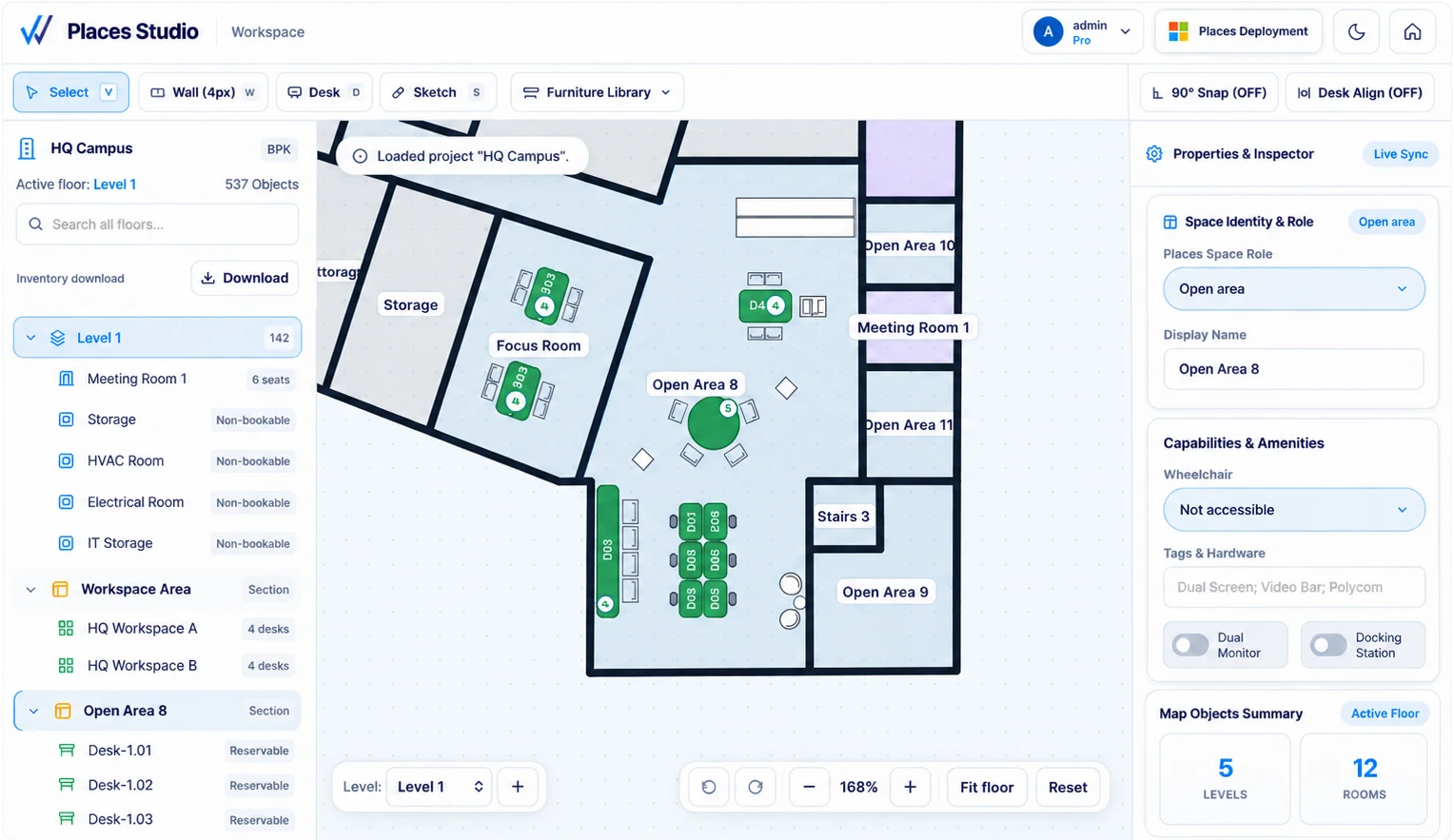
Places Studio workspace showing a floor plan, inventory hierarchy, and properties inspector

Product

Build from your floor plan.

01 / MODEL THE FLOOR
Places Studio | WorkspaceNorthwind HQ
SelectWallDeskDesk Align ON
Level 1 · 100%
Atlas Room · 8
Focus

Model the workplace
in one Studio.

Draw rooms, place desks and set the properties that become a reviewed Microsoft Places deployment.

02 / MICROSOFT PLACES
Microsoft Places
Tenant not connectedConnect after validation

Connect only
when ready.

There is no need to create Places objects before you model the workplace.

03 / PREVIEW
Northwind HQ Reuse Level 1 Create Rooms ×3 Create Desks ×12 Create

Review the exact
change plan.

Preview every proposed write before anything reaches Microsoft Places.

How it works

Model. Review. Deploy.

Studio keeps planning separate from the Microsoft Places changes you approve.

  1. 01

    Compose

    Build the hierarchy and map in the editor. Import a floor plan or start from a clean canvas.

    ✦
  2. 02

    Validate

    Catch missing placement, relationship and required-field detail before the tenant is involved.

    ✓
  3. 03

    Preview

    Compare the Studio target with the selected Places building. Review create, reuse and move operations.

    ◌
  4. 04

    Deploy

    Apply only the previewed plan, then follow progress and the final managed-resource snapshot.

    ↗

Designed for control

The live tenant is not a canvas.

It deserves guardrails. Places Studio makes review a first-class step, preserves deployment history, and makes planned cleanup visible before execution.

  • ✓ Preview is separate from apply
  • ✓ Exact plan hash is checked again before deploy
  • ✓ Deployment activity stays attached to the building
  • ✓ Cleanup is shown in the reviewed target-state plan

Pricing

Simple, user-based
billing.

Every paid seat includes the full Places Studio workflow. Start free with one building, one floor and two desks.

Annual billing

$50per user / month$600 per user, billed annuallySave $600 per user each year
  • Full Studio, preview and deployment workflow
  • Unlimited deployments and workplace updates
  • Manage your subscription through Azure Marketplace

Frequently asked questions

Clear before
you connect.

Places Studio is built around reviewable, repeatable workplace changes.

Do I need to create anything in Microsoft Places first?+

No. Start with your floor plan in Places Studio. You do not need to manually create a building, floor, room or desk in Microsoft Places before planning. Studio prepares the required hierarchy as part of the reviewed deployment plan.

What happens during preview?+

Studio compares the approved target with the current Microsoft Places hierarchy and presents the planned changes. It does not write to the tenant.

Can I update a building later?+

Yes. Edit the project, run a fresh preview, review the new difference and deploy the approved plan.

How are cleanup changes handled?+

Resources absent from the Studio target are clearly marked in the reviewed plan before deployment. Room mailbox preservation is shown as part of that plan.